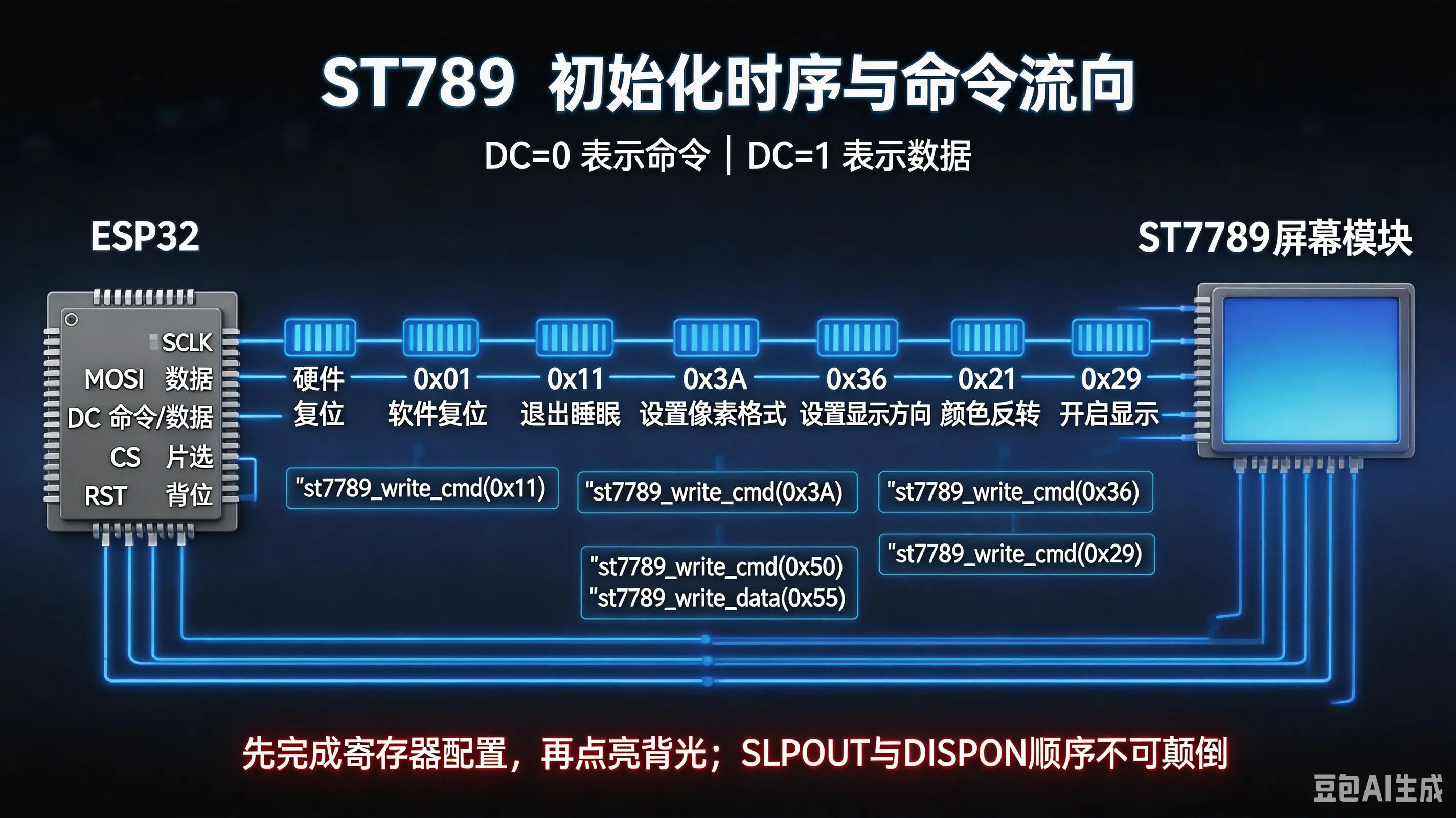
初始化屏幕命令配置!
C
/**
 * @brief SPI初始化,配置SPI总线参数并添加SPI设备
 *
 */
void st7789_init(spi_device_handle_t spi_device_handle){
    // 1, 硬件复位,拉低RST引脚
    // 屏幕初始化代码
    gpio_set_level(lcd_spi_rst, 0);     // 硬件复位,拉低RST引脚,默认高电平
    // 延时10ms,Page42 ↓
    // 原文 7. It is necessary to wait 5msec after releasing RESX before sending commands. Also Sleep Out command cannot be sent for 120msec.
    vTaskDelay(pdMS_TO_TICKS(10));

    gpio_set_level(lcd_spi_rst, 1);     // 硬件复位,拉高,恢复高电平
    vTaskDelay(pdMS_TO_TICKS(120));
    // 延时120ms,Page42 ↓
    // 原文 3. During the Resetting period, the display will be blanked
    // (The display is entering blanking sequence, which maximum time is 120 ms, when Reset Starts in Sleep Out –mode.

    // 2, 软件复位,发送0x01命令
    // 发送软件复位命令0x01,Page124
    st7789_write_cmd(0x01, spi_device_handle);
    vTaskDelay(pdMS_TO_TICKS(120));

    // 3, 退出睡眠模式,发送0x11命令
    st7789_write_cmd(0x11, spi_device_handle);
    vTaskDelay(pdMS_TO_TICKS(10));     // 从睡眠模式退出后并立即再次进入睡眠模式要等120毫秒,而退出后发送其他新命令要等待至少5毫秒

    // 4, 设置像素格式,发送0x3A命令,参数0x55表示16位颜色以及262K,Page185,
    st7789_write_cmd(0x3A, spi_device_handle);
    st7789_write_data(0x55, spi_device_handle);

    // 5,设置显示方向,发送0x36命令,参数0x00表示竖屏、RGB模式,Page176
    st7789_write_cmd(0x36, spi_device_handle);
    st7789_write_data(0x00, spi_device_handle);

    // 6, 设置颜色反转开启 0x21
    st7789_write_cmd(0x21, spi_device_handle);

    // 7,设置display on,发送0x29命令,Page124
    st7789_write_cmd(0x29, spi_device_handle);

    vTaskDelay(pdMS_TO_TICKS(100));    // 等待100ms,确保屏幕稳定显示

    ESP_LOGI("ST7789", "ST7789 init success!");
}总结!